
JupyterHub Tools#
Integrated Tools in Jupyter Hub
JupyterHub is a web-based Integrated Development Environment (IDE) that provides a unified workspace where you can manage every stage of your workflow—from editing scripts and running analyses to visualizing results—all from a single, browser-accessible dashboard, as shown in the figures below.
Each user session comes equipped with Notebooks, Consoles, Terminal Access, and text-file editors. Jupyter Hub supports Python like Julia, MATLAB, and R — useful for researchers integrating multi-language workflows.
You can click the “Open in DesignSafe” button to start a JupyterHub session – you will be asked to log in:

The tools can be accessed from the JupyterHub Launcher, shown in the figure below:
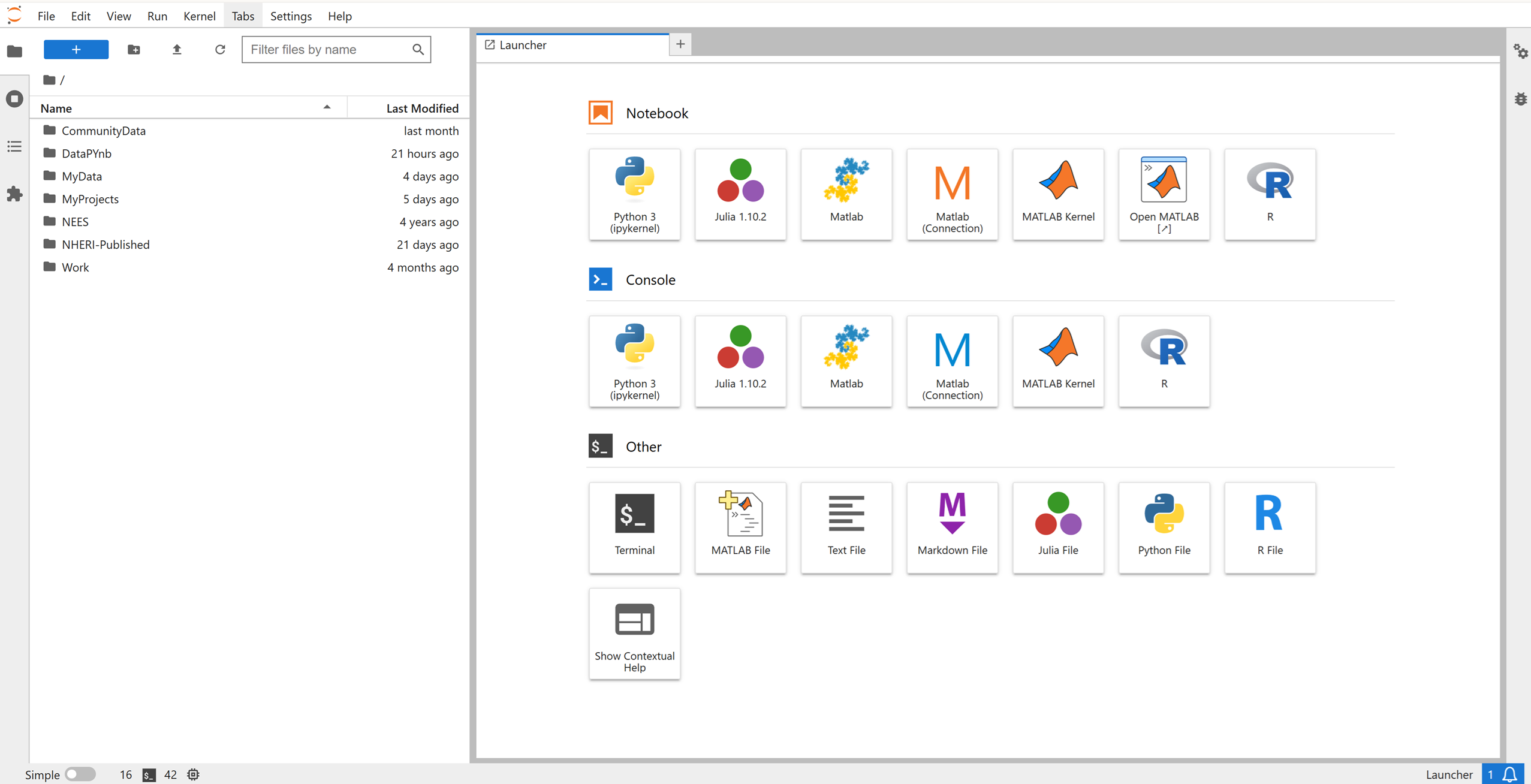 You can access the launcher by pressing the blue “+” on the top left of the Jupyter dashboard. You can launch any item by double-clicking on it.
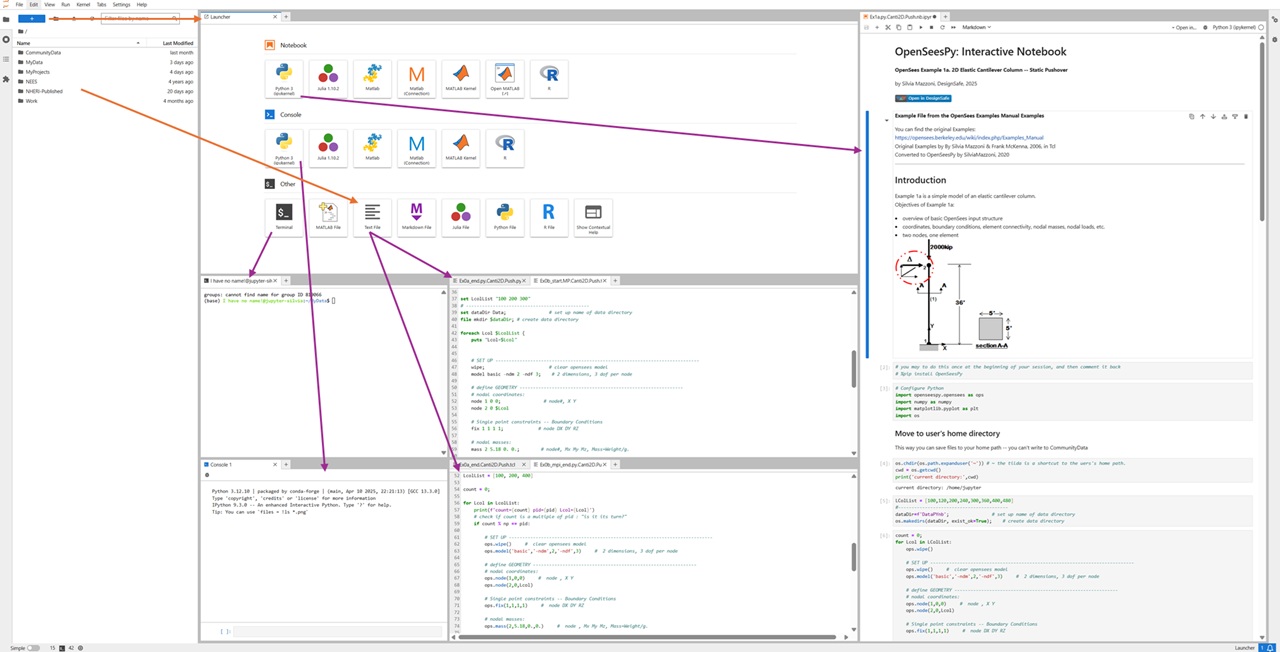
As shown in the figures at the bottom of this page: You can have multiple items open symultaneously. You can arrange them as windows or as tabs.
Terminal
Console
Notebook Interface (Jupyter Notebooks)
File Manager
Text Editor (Code Editor)
The following screenshot is an “extreme” example of how you can use all of these tools symultaneously:
Summary#
The Jupyter Hub environment is your workbench for development, debugging, testing, and launching HPC jobs — all without leaving your browser.