OpenSees Workflows#
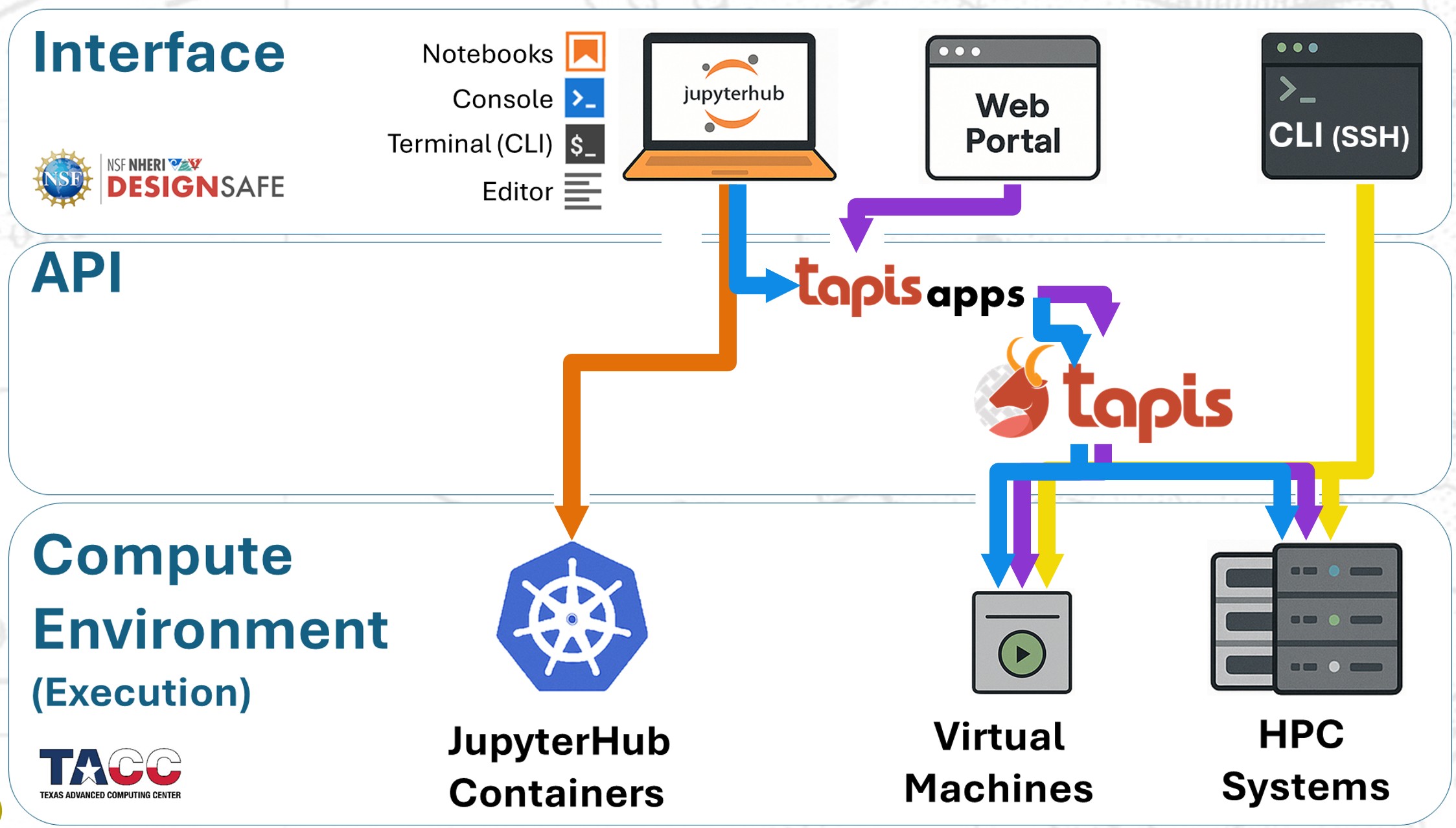
In practice, there are four main ways to run OpenSees on DesignSafe:
Web Portal (Tapis Apps): Submit preconfigured jobs directly to HPC.
JupyterHub (local run): Run OpenSees interactively inside a Jupyter container.
JupyterHub (HPC submission): Stage and launch jobs to HPC using Tapis Apps from your notebooks.
SSH (manual SLURM): Log into HPC systems and submit custom batch jobs.
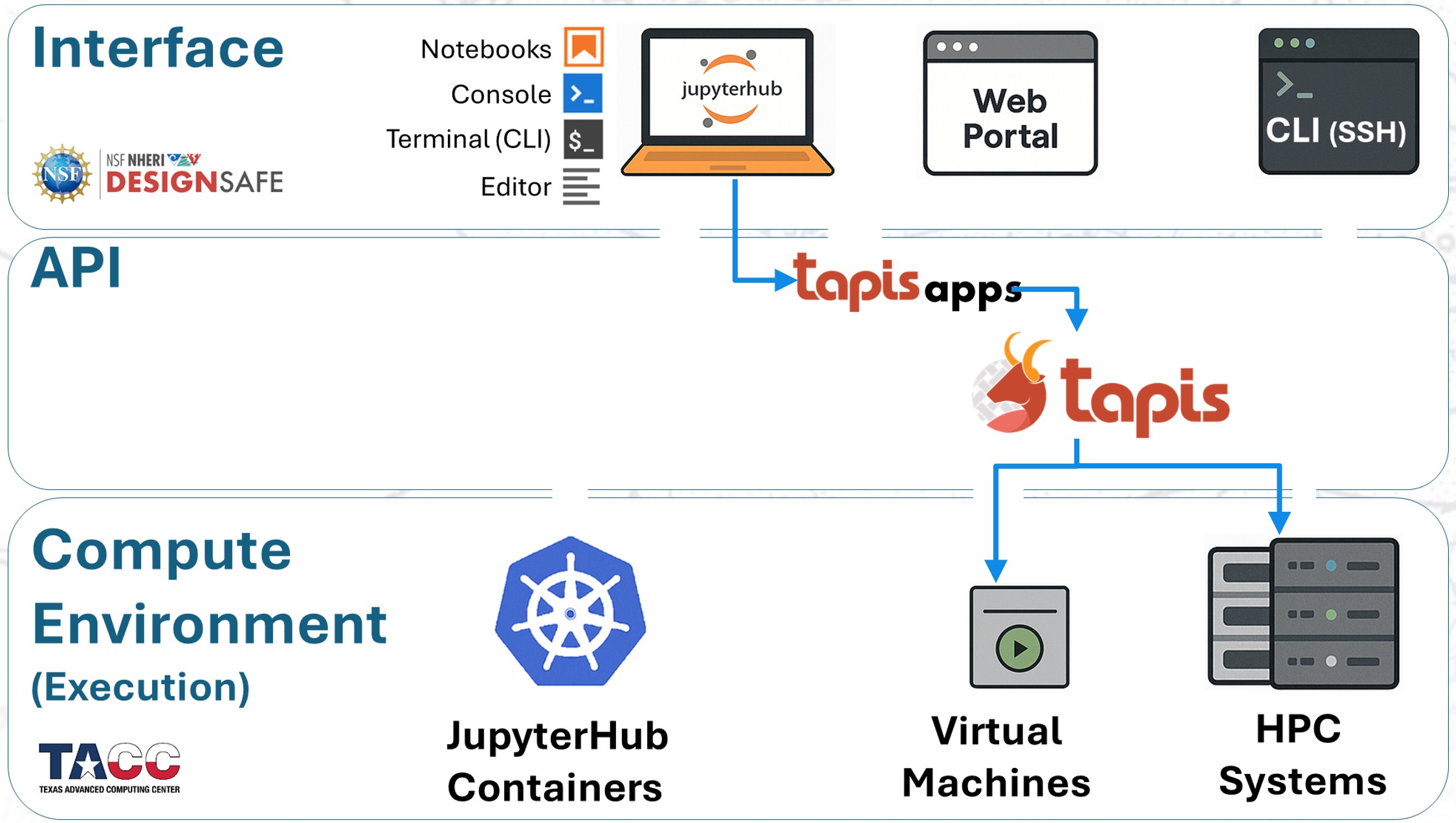
The diagram below illustrates how these workflows map onto the DesignSafe architecture:
Recommendations#
Because each workflow has trade-offs, here are some practical guidelines:
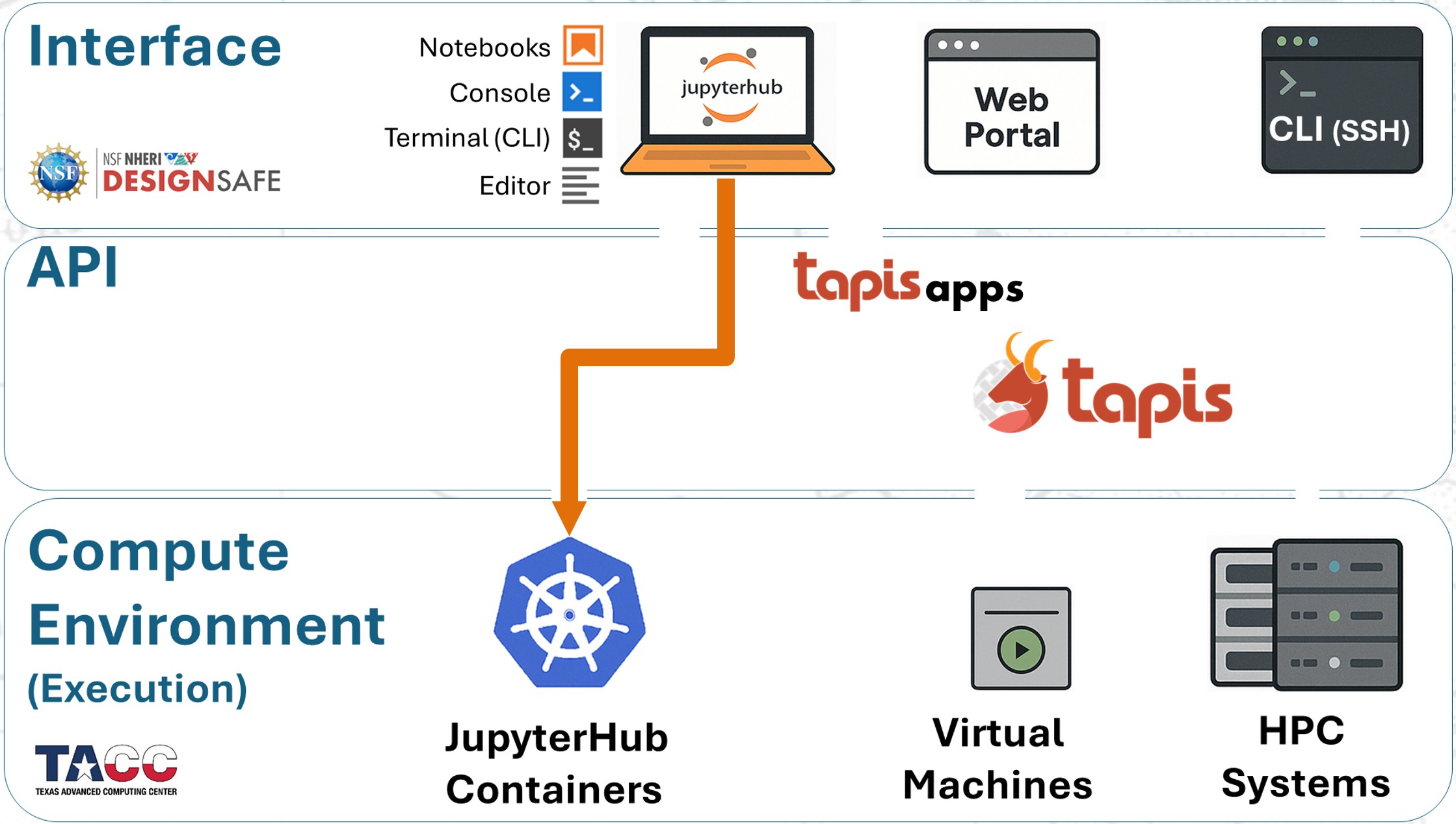
1. Run small to medium jobs within JupyterHub#
Fastest turnaround — no queue wait and no walltime limits.
Each container provides 8 processors.
2. Submit medium to large jobs to HPC from JupyterHub#
Recommended for heavier workloads.
Combines the convenience of Jupyter for file and script management with the scalability of HPC resources.